

chat+ai branch of LMS_Frontend (Update 222).
Keywords for search: Help Center, help section, topic card, “View guide”, help_center_links.json,
HelpCenterLinks, YouTube playlist.
In one sentence. Every topic card of the Help Center opens the link set for it in
assets/config/help_center_links.json of LMS_Frontend: one section per role, one key per card.
For now every card opens the YouTube guide playlist.Routes and sections
Locally the app runs on
http://localhost:5000, so the student Help Center is
http://localhost:5000/student-help-section.
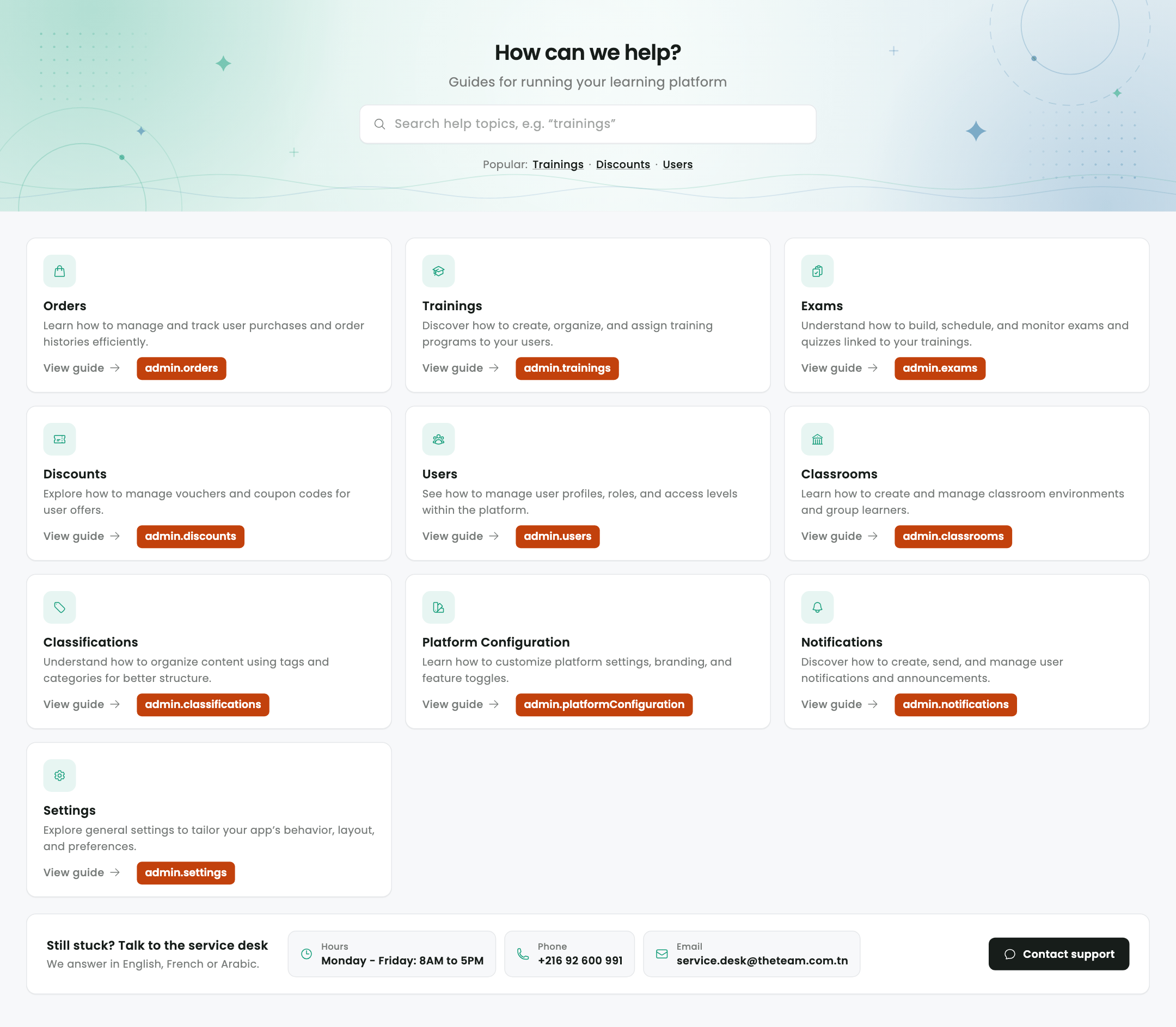
Which key is which card
The orange labels show the key each card reads (<section>.<key>). They were added to the
screenshots; the app doesn’t draw them.
- Student
- Admin
- Instructor
- Content manager
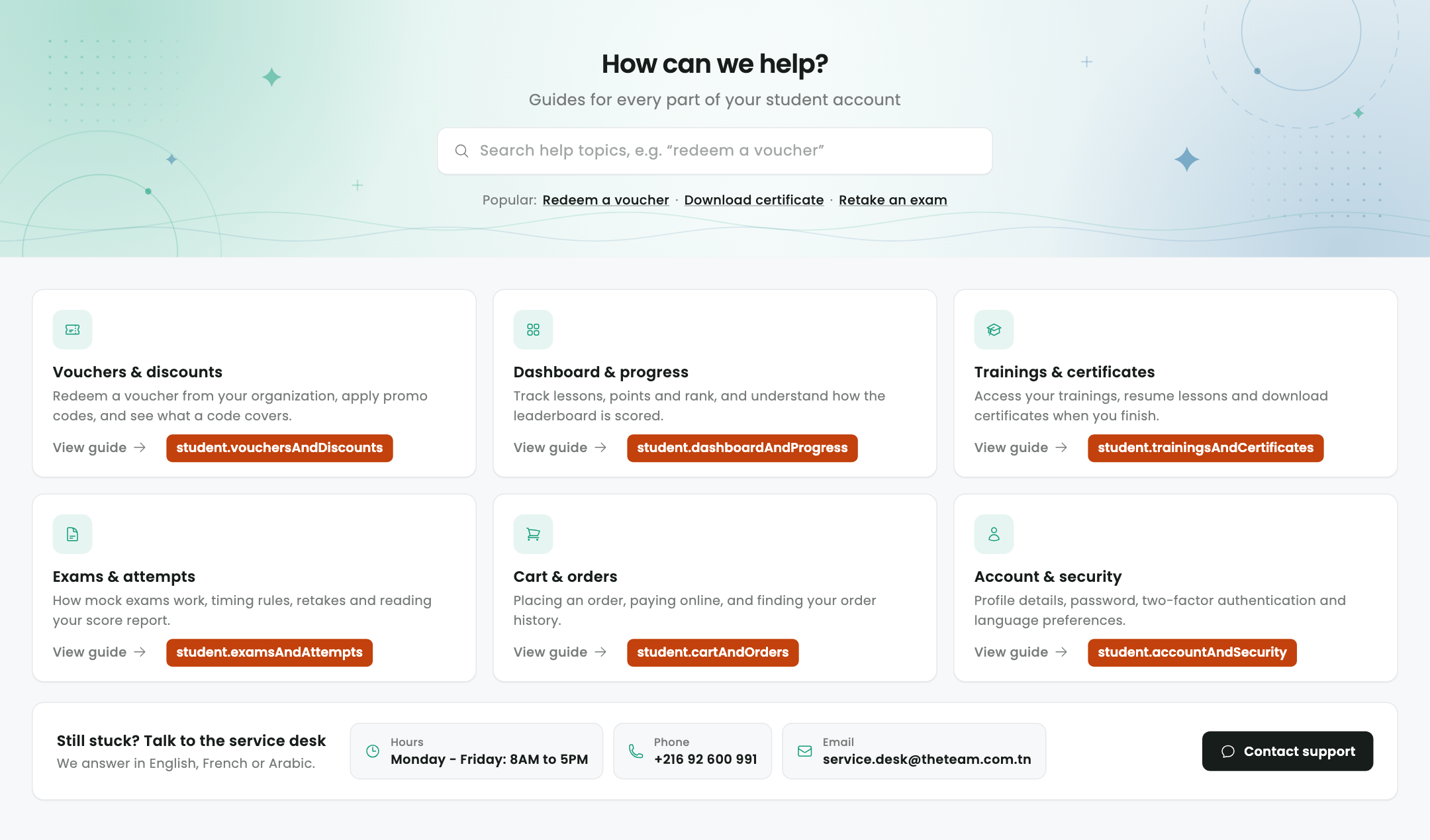
/student-help-section
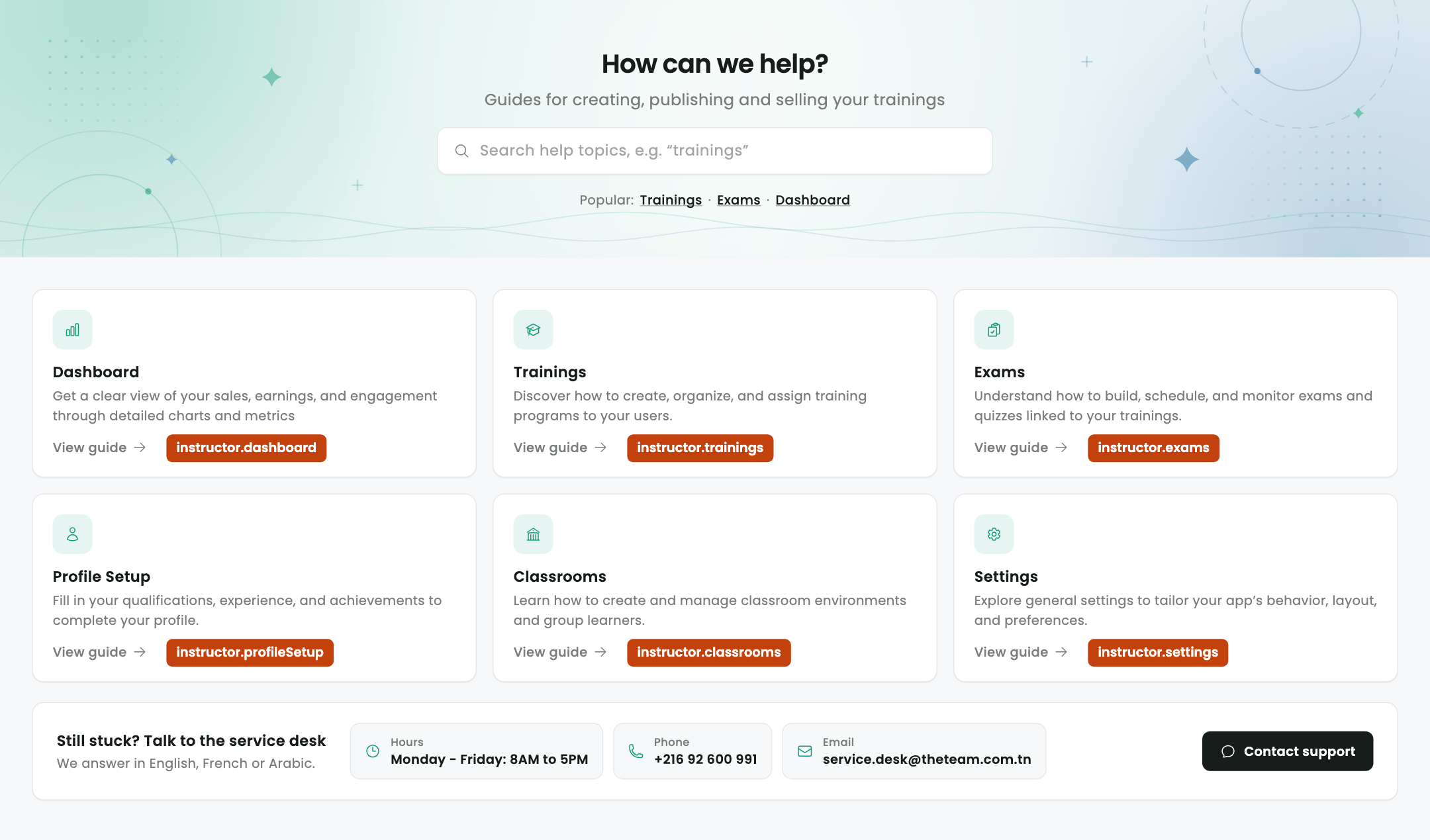
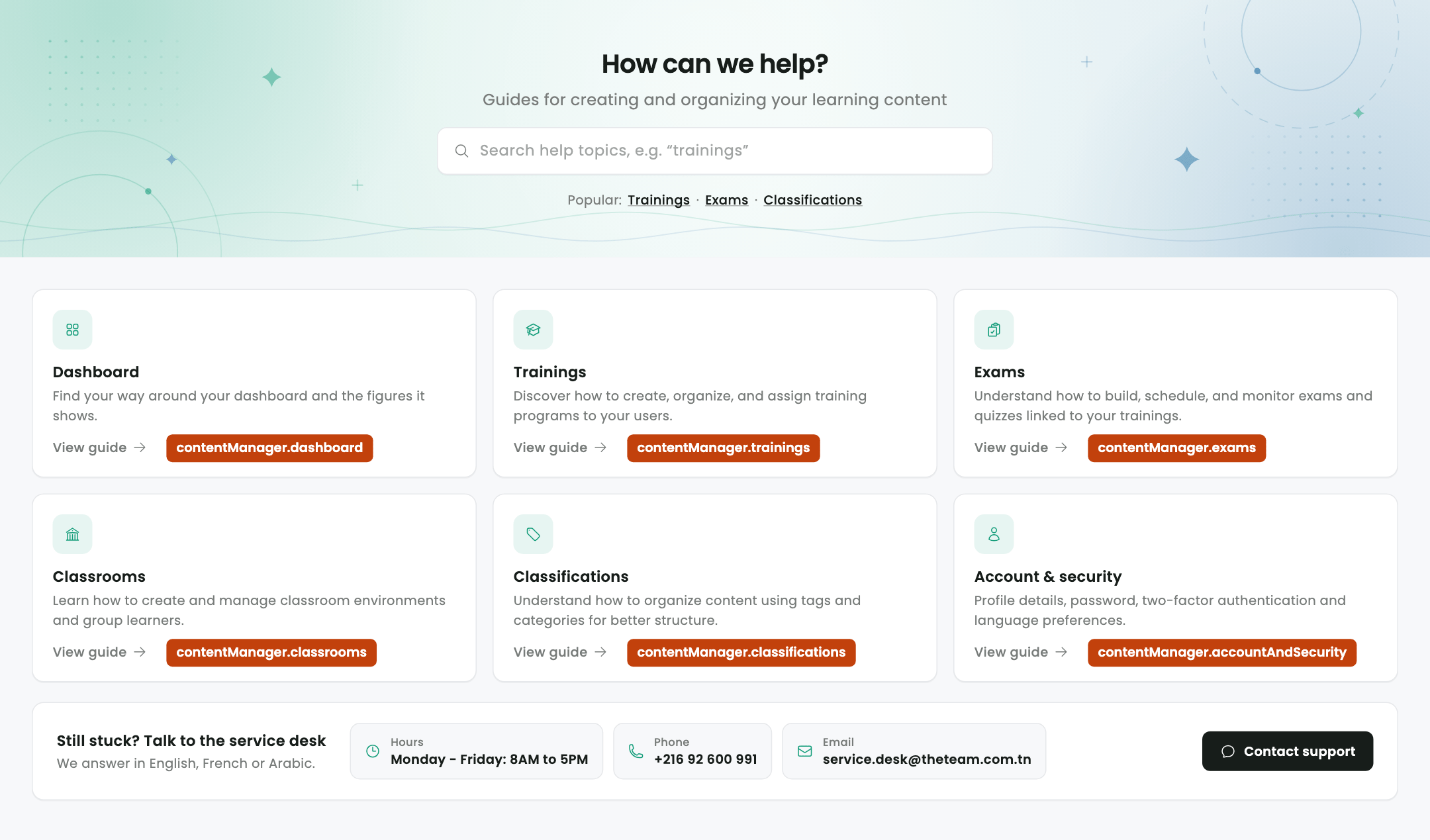
trainings card and the instructor’s
trainings card can open different links.
The file
assets/config/help_center_links.json
pubspec.yaml lists assets/config/, so the file ships with the web, Android and iOS builds.
Change a link
1
Edit the URL in the repo
Open
assets/config/help_center_links.json in LMS_Frontend, find the role’s section and the
card’s key, and replace the URL. Keep the key as it is.2
Rebuild and deploy
Web: deploy as usual. Phone apps: build and release a new version (the file is inside the app).
3
(Web only) Quick change on the server
On a deployed web app the file is also served at
assets/assets/config/help_center_links.json
(under httpdocs/), so you can edit it there without a rebuild. Browsers may keep the old copy
until their cache expires.A change made only on the server is lost on the next deploy: the upload replaces
httpdocs/ with
the new build (a 1:1 mirror). Always make the same change in the repo.Rules
- A missing key, an empty value or a value that isn’t an
http(s)link opens the guide playlist (https://www.youtube.com/playlist?list=PLf7Ei8pwRxWo). So does a broken file. - Keys starting with
_(such as_readme) are notes and are ignored. - On the web a card opens its link in a new tab; on phones, in the browser or the YouTube app.
- The links are read once when the Help Center opens, before any tap: on the web a link must open in the same click, or the browser’s popup blocker stops the new tab.
In the code
To add a card: add its
_HelpTopic (with a linkId) to the role’s list in help_center.dart, then
the same key to the role’s section of the JSON file, in the same position.